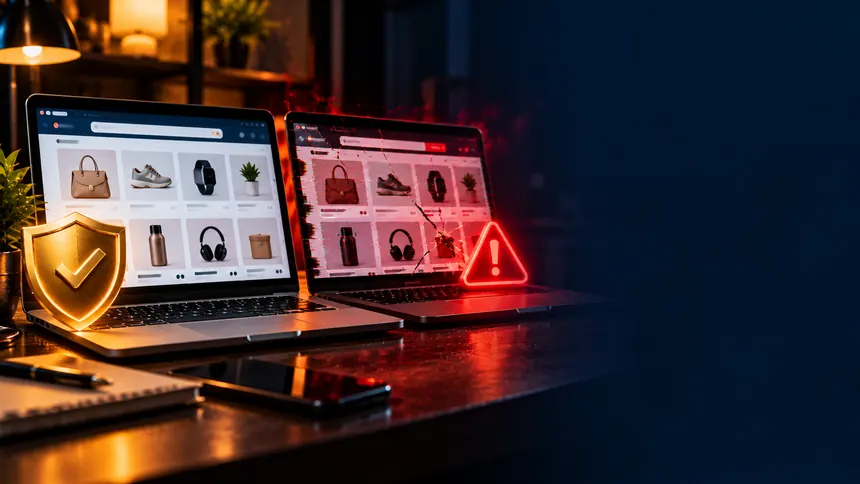
If someone cloned your online store, do three things the same day: save proof of the fake site, report it to its domain registrar, its hosting provider and Google Safe Browsing, and post a notice that tells customers your one official address. Reporting in several places at once works faster than waiting on any single one. You may not get the site down in a day, but you can usually get it flagged and cut off from the customers it is chasing.
Most guides about fake websites teach shoppers to be suspicious. This one is for the other side: the owner of the store that got copied. Your photos are on the fake site, the name looks like yours, the storefront is identical, and the prices are low enough to convince people. Buyers there get nothing, and the complaints land on you. If you want something to send to customers, our guide on how to tell if an online store is fake covers the shopper's side.
How a cloned store usually looks
- A near-identical domain: one letter swapped, a hyphen added, or a different ending such as .shop or .store in place of your .com.
- Your photos and product descriptions, copied from your store or your Instagram page.
- Prices far below yours, often paired with payment methods that are hard to reverse, such as bank transfers, payment apps, gift cards or crypto.
- Paid ads that put the copy above your store in search results or social feeds.
How to find the clone before your customers do
- Search your own store name in quotation marks, together with words like "store", "sale" and "official". Do it every week.
- Run a reverse image search on your best-selling product photos, for example with Google Lens, to see which other sites use them.
- Create alerts for your store name with Google Alerts, so new pages that mention it reach your inbox.
- Take the first strange complaint seriously, such as an order you cannot find in your system or a customer who sent payment to an account that is not yours.
Who is behind the fake domain
A public domain lookup shows where the site is registered and often hints at who hosts it. Those details tell you where to send your reports.
- For most endings, such as .com, .shop or .store, use the ICANN Lookup tool.
- For a country ending such as .co.uk or .ca, search for that country's own registry lookup instead.
The real owner is usually hidden behind a privacy service, and that is fine. What matters is the registrar and its abuse contact, which normally show up anyway. The name servers listed often point to the hosting company or to a content delivery service, and most of them have an abuse report form.
What to gather before you report
Build one package and send the same documentation to everyone. It saves time and makes each report harder to dismiss.
- The address of the fake site.
- Screenshots of its home page, a product page and the checkout, with the date visible.
- The address of your real store, so reviewers can compare the two.
- Screenshots of any customer messages about the fake site.
- A police report, if your local department accepts them online. It shows that your business is a victim and works as an attachment for the other reports.
Avoid contacting the people behind the clone. It will not get the site removed, and it can prompt them to move the content to a new domain.
Where to report the fake store, in order
| Where | What happens |
|---|---|
| Google Safe Browsing | If the report is accepted, browsers that use Safe Browsing start showing a deceptive-site warning to anyone who tries to open the page. |
| Abuse contacts of the registrar and the hosting provider | They can suspend the site or the domain for fraud. |
| FTC at reportfraud.ftc.gov | Your report goes into a national database that law enforcement agencies can search. |
| Police report | Documents that your store is a victim and gives you something to attach to the other reports. |
| Copyright takedown notice to the host | If the copy uses your photos and text, a DMCA takedown notice sent to the host's designated contact can get that content removed. |
| Fake social profiles and ads | Instagram has a form for accounts that impersonate you, and ad platforms let you report a deceptive ad. |
| Domain dispute (UDRP) | An ICANN process for challenging a domain registered in bad faith to trade on your name. It generally requires trademark rights. |
If the clone runs on a store platform such as Shopify, report it through that platform's abuse form too. If customers lost money, the FBI's Internet Crime Complaint Center (IC3) also accepts reports. Report on the same day, keep a copy of every confirmation, and follow up if a week goes by without an answer.
What to tell your customers
Pin the notice on Instagram, add a banner at the top of your store for a few weeks and post it on your Google Business Profile. If you have an email list, send it there too. Customers who paid by card can ask their card issuer about disputing the charge. That is their decision, so just point them in that direction and give them the proof they need.
How to make your store harder to copy
- Register your trademark with the U.S. Patent and Trademark Office. Reports for trademark violations get their own handling on social networks and platforms, and in domain disputes.
- Buy the obvious variations of your domain, such as the hyphenated version and the most common endings. It costs little compared with dealing with a clone.
- Show your business name, address and official contact channels in the footer. A customer who checks will spot the differences with the fake.
- State how you take payment, everywhere. For example: "we only charge at checkout on our own domain and never ask for payment by message." Customers who know your rule can spot the copy that breaks it.
Scammers who copy your store sometimes reuse the same name in other schemes, such as fake job offers that borrow a company's name. And if you are still setting up your shop, our guide to starting an online store from scratch covers the basics.
Frequently asked questions
Does the padlock in the browser prove a website is real?
No. The padlock only means the connection is encrypted, and any fake site can have one. It says nothing about who owns the site.
How long does it take for a fake website to come down?
It depends on who receives the report. A browser warning can show up before the host removes the site, so report to every channel at the same time.
Can I be held responsible for what the fake site sold?
Your store is a victim too. Document everything and file a police report. To understand your responsibilities in your specific case, talk to a lawyer.
Sources: FTC ReportFraud · Google Safe Browsing: report a phishing page · ICANN Lookup · Instagram Help Center: impersonation